Room by room
Prepare for a Matterport Scan in Austin: Before and After
Prepare rooms, access, privacy, and delivery expectations for a Matterport scan in Austin, then review the finished tour before adding it to property marketing.

Prepare for a Matterport scan by making every included area ready before capture starts, clearing the routes between rooms, and removing anything that should not appear in a public tour. Confirm the included spaces, access instructions, and delivery arrangement with the photographer in advance.
After delivery, review the actual tour link as a visitor would. The job is not complete for marketing purposes until the correct spaces are visible, navigation works, and the link is ready for its intended destination.
Agree on the space to be captured
List the rooms and areas that belong in the tour, including separate floors, detached spaces, or shared amenities that are relevant to the assignment. Identify anything excluded. Do not assume a garage, storage room, outdoor area, or neighboring amenity is included merely because it is accessible.
For an Austin condominium or multifamily property, coordinate building access and permission for any shared areas. For a business, identify who can unlock the agreed rooms and who can answer scope questions. Send the exact address, entry instructions, and useful access details before the appointment.
Make all included areas ready together
Finish cleaning and arranging the rooms before capture begins. Clear the routes between them and open doors to the areas that will be scanned. Once the process starts, keep furniture and other visible items in consistent positions rather than moving clutter from room to room.
Matterport’s preparation checklist emphasizes keeping people, pets, and moving objects out of the scan area and removing personal items. Coordinate a place for occupants and pets away from the capture route.
Check the details that may be easy to miss in a normal walk-through: a screen left on, paperwork on a counter, a reflection in a mirror, or items behind a door. Remove private information before scanning rather than assuming it can always be repaired later.
Separate cleaning, staging, and capture responsibilities
A scan records the space prepared for it. Decide in advance who is responsible for cleaning, arranging furniture, and opening the property; do not plan for those tasks to begin when the photographer arrives. Austin 360’s service terms explain the responsibilities for its assignments.
If a room is unfinished or unavailable, tell the photographer before the appointment. Agree whether it should be excluded or whether the appointment should move. A clear decision before capture is more useful than discovering an important missing area when the listing is ready to publish.
Confirm what will arrive after the appointment
Ask for the planned delivery date, the final viewing link, and any additional deliverables included in the quote. A floor-plan product, still images, or a technical export should be confirmed separately. Do not infer those inclusions from the camera used or from a sample package on another project.
Also establish who will host the model, who can request changes, and how long it should remain available. Our guide to the Pro3 camera and hosted tour explains why capture equipment and the final delivery are separate parts of the service.
Review the tour before publishing
Open the delivered link on a phone and computer. Start at the initial view, move through the agreed rooms, and check any labels or annotations against the property. Look for missing areas, confusing transitions, visible private information, or a start position that makes the tour difficult to understand.
Send corrections together with clear references to the area or view involved. Save the approved link with the property’s other marketing files, and use the version appropriate for the destination. For that final step, the Realtor.com tour publishing guide explains the difference between receiving a tour and getting it onto a listing.
Check the live link again after publication and before a major campaign uses it. Keep a named contact responsible for ongoing access and eventual removal. If the property changes substantially, discuss whether the old capture still describes it accurately.
Explore an actual space
Take a look around.
Move through this interactive residential tour at your own pace. You can open it here or in a new tab.
Open the full tour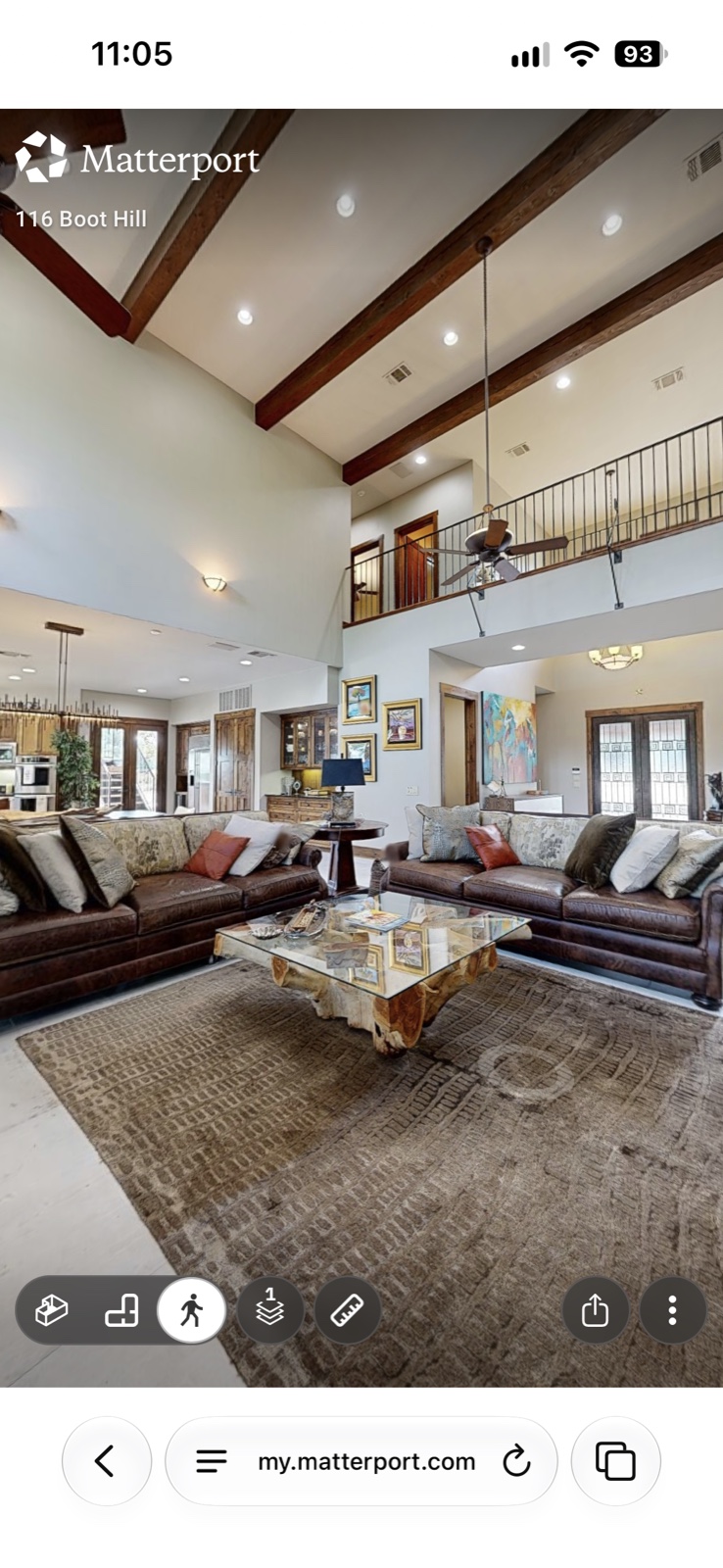
Open the door
A listing they can step inside.
Explore our Matterport tour service to plan the capture and delivery for your property.